

NVR or DVR: when your existing coax can stay
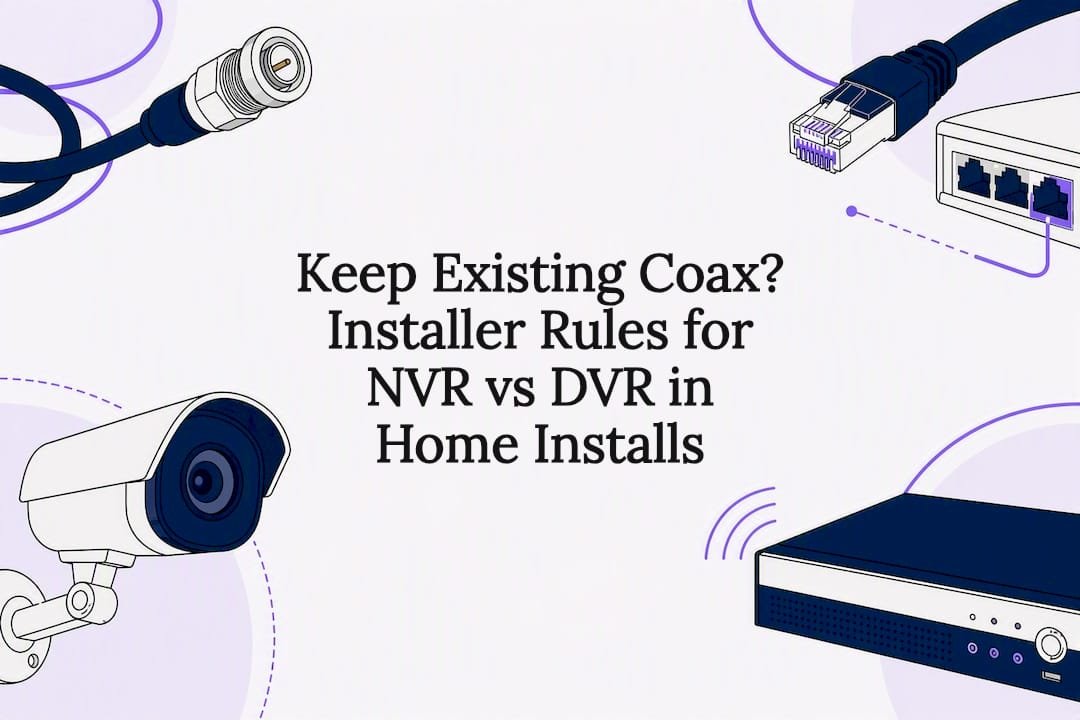
For most new CCTV installs, an NVR paired with IP cameras is the better long-term pick. It's easier to run cable, gives sharper footage, and scales without much fuss. DVR still earns its place if you already have solid coaxial cabling in the walls or you're working to a very tight budget. Either way, an NVR demands proper cyber hygiene from day one.
Key takeaways
- If you already have good coaxial cabling and limited budget, a DVR canStill suffice, especially for lower resolution needs.
- For higher image quality, smart analytics, and easier scalability, an NVR with IP cameras is the better long-term investment.
- Ethernet or PoE cables are limited to about 100 meters, making outdoor or long-distance cabling planning crucial for installation.
- Securing an NVR requires strong cybersecurity practices, including changing default passwords and segmenting networks, to prevent vulnerabilities.
- Hybrid systems enable phased upgrades by running both analog and IP cameras on a single recorder, reducing initial costs and future-proofing.
Table of Contents
- NVR vs DVR: what's actually different between the two?
- What is a DVR and how it works
- What is an NVR and how it works
- NVR vs DVR CCTV: a side-by-side technical comparison
- Pros and cons of each system
- Installation, cabling and environmental considerations
- Security, network hygiene and long-term maintenance
- Which should you choose? A short decision checklist
- What we see on real jobs
- Get your CCTV install right the first time
- Sources
- FAQ
NVR vs DVR: what's actually different between the two?
The core answer to "nvr vs dvr" comes down to where the video gets encoded and how the cameras connect to the recorder. A DVR (Digital Video Recorder) works with analogue cameras that send raw video down a coaxial cable, and the recorder itself does all the encoding work. An NVR (Network Video Recorder) works with IP cameras that encode the footage themselves, then send that digital stream over Ethernet, usually via Power over Ethernet (PoE).
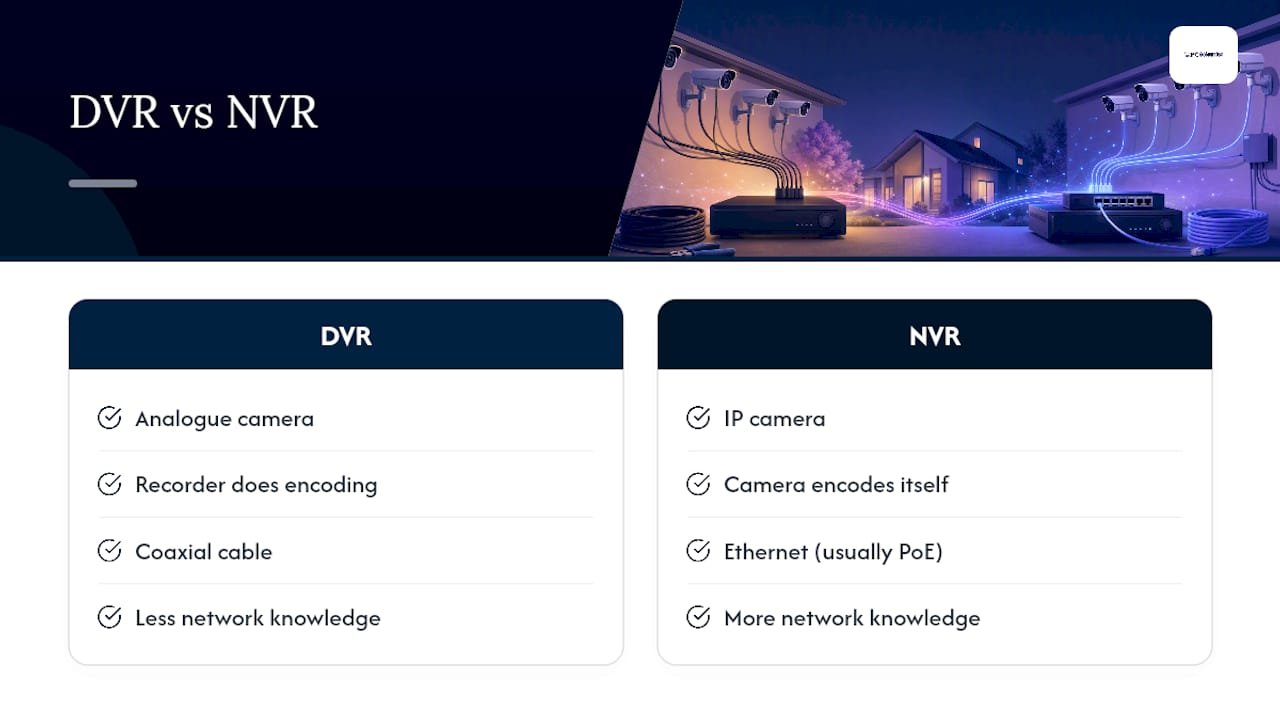
That single distinction, camera-side encoding versus recorder-side encoding, explains almost every practical difference between the two systems: cable type, image quality, how many cameras you can add later, and how much network knowledge the installation actually requires.
What is a DVR and how it works
A DVR system pairs analogue cameras with a central recorder that does all the heavy lifting. The cameras themselves are dumb by comparison. They just capture and transmit raw video down a coaxial cable, and the DVR converts that signal into something you can view and store.
Wiring typically runs two separate cables, one coax for video, one for power, though many installers now use "siamese" cable that bundles both into a single run. Because encoding happens at the recorder rather than the camera, you lose access to on-camera analytics like smart motion zones or object detection, and firmware updates are limited to whatever the recorder supports.
Resolution has improved with HD-over-coax formats, but DVRs still typically top out lower than a comparable IP setup. For an existing site with good coax already in the walls, a DVR remains a sensible retrofit option.
- Analogue cameras, encoding happens at the recorder
- Coax plus separate power cable, or bundled siamese cable
- HD-over-coax formats improve resolution but rarely match IP camera detail
- Fewer on-camera smart features because the camera itself isn't doing the processing
What is an NVR and how it works
An NVR works with IP cameras that handle their own encoding before sending a finished digital stream back to the recorder. That single change, encoding on the camera rather than the recorder, is what makes NVR systems so much more flexible.
Most IP cameras run on PoE, which means one Ethernet cable carries both data and power, cutting cable runs roughly in half compared to a DVR install. Wireless IP cameras exist too, useful for spots where running cable just isn't practical.
Because the camera itself does the processing, you get access to smart features that DVRs can't match: line-crossing alerts, facial recognition, two-way audio, and firmware updates that keep improving the camera long after installation. The trade-off is that an NVR system lives on a network, so it needs a bit of planning, IP addressing, switch capacity, and basic segmentation, rather than just being plugged in and forgotten.
- IP cameras encode onboard, recorder just stores the streams
- Single Ethernet/PoE cable for data and power, or wireless where needed
- On-camera analytics, two-way audio, and ongoing firmware improvements
- Requires basic network setup rather than a simple plug-and-play install
NVR vs DVR CCTV: a side-by-side technical comparison
Here's how the two systems stack up across the dimensions that actually drive the decision:
| Dimension | DVR | NVR |
|---|---|---|
| Camera type | Analogue | IP (wired or wireless) |
| Cabling & power | Coax + separate power, or siamese cable | Single Ethernet/PoE cable, or wireless |
| Where encoding happens | At the recorder | On the camera |
| Typical max resolution | HD-over-coax formats, generally capped lower | Higher resolution, often 4K and beyond |
| Audio support | Limited, usually one-way | Two-way audio common |
| Scalability | Constrained by recorder channels and cabling | Easier to add cameras via network switches |
| Cost/when it makes sense | Cheaper upfront if coax already exists | Better value over the system's lifespan for new builds |
A few practical consequences sit behind that table. Standard PoE cable runs top out around 100 metres before you need an extender or a local switch, which matters if your driveway camera sits a long way from the equipment rack. Coax runs can go further without a boost, which is one reason DVR still turns up on older, sprawling properties.
If you're not ready to commit fully either way, a hybrid or XVR recorder lets you run analogue and IP cameras on the same box, useful for phasing an upgrade without ripping out cabling that still works.
Pros and cons of each system
- NVR pros: sharper image quality, smart analytics on the camera, easier scaling, cleaner cable runs via PoE. NVR cons: needs basic network setup, and every internet-connected device is a target if left unsecured.
- DVR pros: cheaper if coax already exists, simpler concept with fewer moving parts, works fine on modest budgets. DVR cons: capped resolution, no on-camera analytics, harder to expand once you're out of recorder channels.
- Installer note: mixing tech via a hybrid recorder is often the smartest phased approach when more than 60% of your camera positions already have usable coax reaching the right view, letting you plan an IP rollout without wasting existing wiring.
Installation, cabling and environmental considerations
Cable planning decides more of your install budget than the recorder itself. Ethernet/PoE runs are simplest under 100 metres; beyond that, a local PoE switch or repeater keeps the signal clean rather than forcing one long cable back to base. Coax can run further without a boost, which is worth knowing if you're retrofitting a large rural block.
Outdoor joints are where systems actually fail. Coax and power connectors exposed to moisture or salt air corrode over time, a well-documented issue in broadcast and security cabling, whereas a single sealed RJ45 PoE termination has fewer failure points to begin with.
- Plan PoE switch placement before running cable, not after
- Use weatherproof, gel-filled connectors on any outdoor coax joint
- Inspect exterior cabling annually, especially near the coast
- Phase upgrades camera-by-camera if full replacement isn't in the budget yet
Pro Tip: If you're upgrading an older coax system near the coast, start with the cameras exposed to the most weather. That's where corrosion bites first, and it's the easiest win to justify swapping to PoE early.
Security, network hygiene and long-term maintenance
An NVR lives on your network, which means it needs the same basic hygiene as any connected device. Change every default password before the system goes live, keep firmware updated, and where possible, isolate cameras onto their own VLAN or segmented network rather than sharing a subnet with laptops and phones.
None of this eliminates risk entirely, but recorder isolation and basic network segmentation largely mitigate the exposure that comes with connecting cameras to the internet.
On the storage side, use surveillance-grade hard drives rated for continuous write cycles, not standard desktop drives. Modern IP cameras often ship with H.265 or H.265+ compression, which cuts storage needs noticeably compared to older H.264 setups, worth factoring into your retention planning.
- Change default admin passwords immediately after setup
- Update firmware on a regular schedule, not just when something breaks
- Segment cameras onto their own VLAN where your router or switch supports it
- Use surveillance-rated drives and check physical cabling every few months
Which should you choose? A short decision checklist
- Do you already have working coax cabling in place? If yes and it's in good condition, a DVR or hybrid recorder saves you a rewiring job.
- What's your budget for this install? Very tight budgets often favour DVR upfront, though NVR tends to cost less over the system's working life.
- Do you want smart analytics, like motion zones or facial recognition? That points firmly to NVR, since those features live on the camera itself.
- How many cameras are you planning, now and in five years? Larger or growing camera counts scale far more easily on an NVR/PoE setup.
- Are you comfortable with basic network setup, or happy to have a professional handle it? If you'd rather not touch VLANs or IP addressing yourself, get a network assessment done alongside the install.
If most answers point to "new build, no existing cabling, want better image quality," go NVR. If you've got solid coax and a tight budget, DVR or hybrid buys you time.
What we see on real jobs
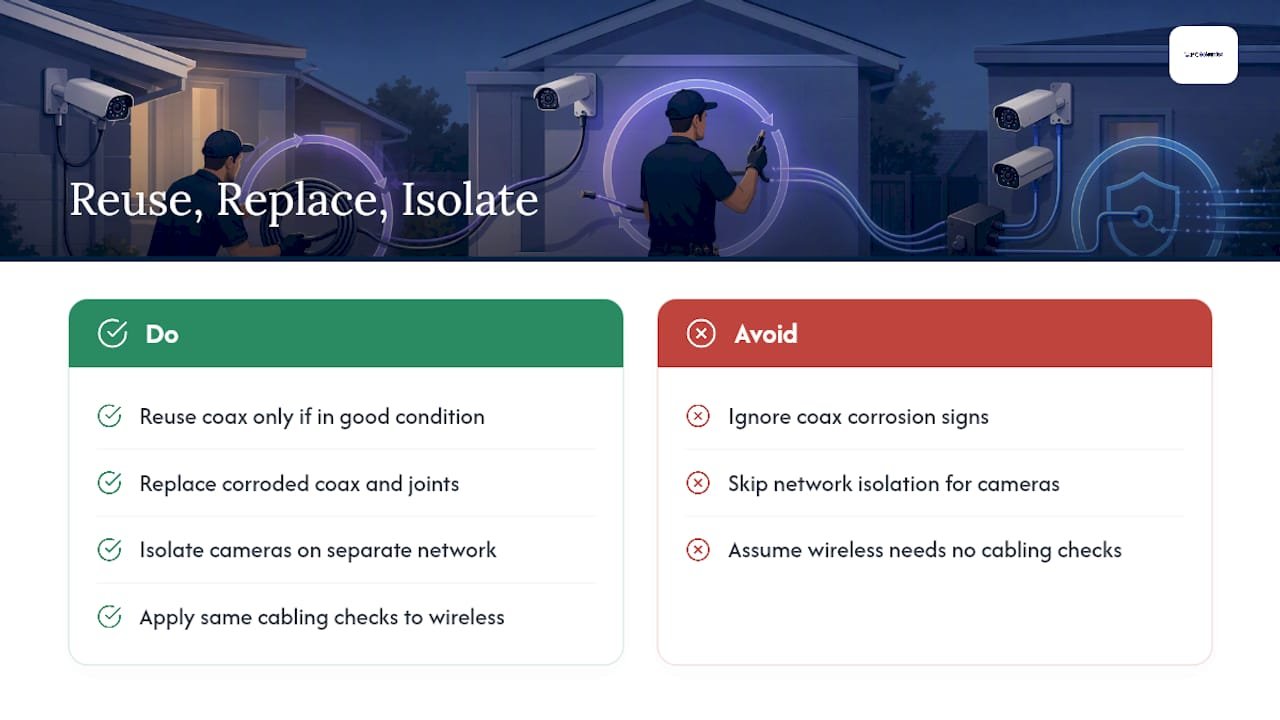
On real sites, the decision rarely comes down to a spec sheet. We've reused coax that was still in good nick to save a client money, and we've torn out corroded coax joints on coastal properties that failed within two years of installation. Network isolation for cameras isn't optional in our book. It's the difference between a system that quietly does its job and one that becomes someone else's entry point.
If you're weighing up wired against wireless CCTV as part of this decision, the same cabling and corrosion trade-offs apply there too.
- PC Scientist
Get your CCTV install right the first time
PC Scientist is the practical alternative to guessing your way through a CCTV upgrade. Rather than buying a recorder online and hoping the cabling works out, our technicians run a proper site survey first, checking existing cable runs, PoE switch capacity, and where corrosion risk is highest before recommending NVR, DVR, or a hybrid path.

We handle the cabling, camera placement, PoE planning, and the cybersecurity hardening that keeps your system off the wrong kind of radar, password changes, firmware updates, and network segmentation included. For a deeper look at commercial-grade surveillance architecture, DJC Engineering's guide covers some of the advanced options we can integrate for larger sites.
If you're ready to move past the DVR vs NVR decision and get a system installed properly, request a quote through our Business & Venue CCTV service and we'll organise a site survey.
Sources
Recommended
- Wired vs wireless CCTV: which one actually protects your property?
- Security camera placement: where every camera should go
Frequently Asked Questions
Straight answers about Keep Existing Coax? Installer Rules for NVR vs DVR in Home Installs - without jargon or pressure. Call 0493 563 381 for advice, or get help below.
Want the quickest answer? 0493 563 381 for free advice.
For most new installs, NVR is the better choice thanks to sharper image quality, easier scaling, and simpler PoE cabling. DVR still makes sense if you have good existing coax or a very tight budget.
Yes. An NVR records and stores footage locally on its own network without needing internet access, though you'll need internet if you want remote viewing on your phone or laptop.
Check the cabling: a single thin Ethernet cable running to each camera means NVR, while a thicker coaxial cable (often with a separate power cable) means DVR.
The same general rule applies regardless of brand: an NVR setup with IP cameras gives better resolution and more features, while a DVR suits sites with existing coax already installed.
CCTV help across NSW
Want help choosing NVR or DVR?
If you would rather not plan cameras on your own, get help in your area. We will talk it through first.
Start here
Get CCTV help
Optional Need a Sydney city or region?
Choose a side of Sydney
These are Sydney cities and regions, such as the Northern Beaches or Inner West. First tap a side of Sydney. Then open the city or region that covers you.
C Sydney City / Inner 3 areas
N Northern Sydney 6 areas
NW North-West / Central Sydney 3 areas
W Western Sydney 1 area
SW South-West Sydney 3 areas
S Southern Sydney 2 areas
Optional Find your suburb
Type a suburb from our listed coverage. This opens the matching city or region page for this topic. Listed suburb pages are general technology services, not this specialist page.
If your suburb is not listed, use the city or region list above, or call 0493 563 381.
Disclaimer
The information in this article is provided for general educational and informational purposes only. While PC Scientist strives to keep all content accurate and up to date, technology issues can vary depending on your device, software, network configuration, and individual circumstances. Always back up important data before attempting repairs or system changes. If you are unsure or the issue cannot be resolved safely, contact PC Scientist today for professional onsite or remote IT support. PC Scientist is not liable for any loss of data, damage, or other issues resulting from the use of the information provided in this article.
