Computer Repair Scientist

You want to know if it is worth fixing, before you spend.

Cracked screen? Battery that dies by lunch? A laptop that sounds wrong? Repair or replace is a fair question. You do not have to decide that alone. Show us what failed. We look honestly. If it is not worth repairing, we will say so.

We come to you, or we work remotely when that fits, across NSW. Book online for eligible visits and get 10% off, call for free advice, request a call back, or ask for a quote if you want it in writing first.

Want the quickest answer? Call 0493 563 381 for free advice.

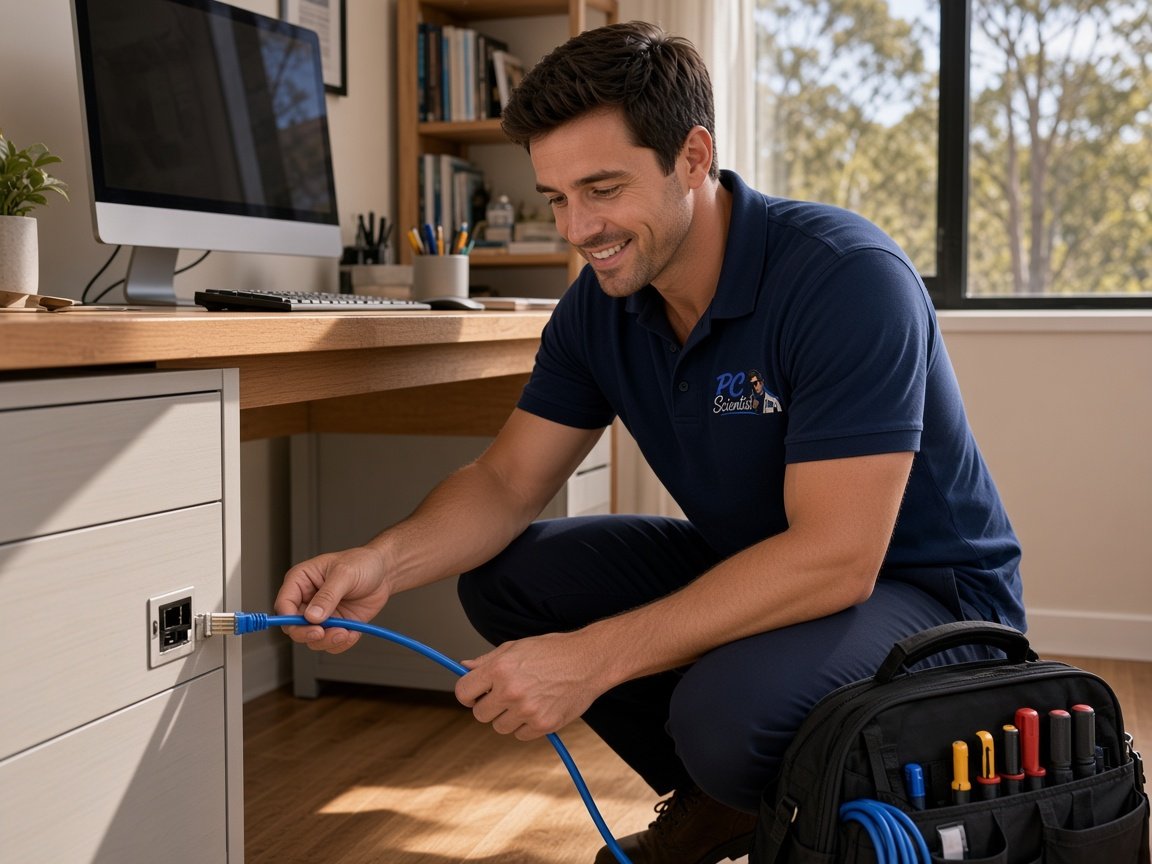
Technician working on a computer in an office
How it works

We accept payments

Visa
Mastercard
American Express
JCB
Apple Pay
Google Pay
Afterpay
Zip
Bank debit

How to start

From the first message to the visit.

  1. Choosing how to book a visit 01

    You pick how

    Book online, ask us to ring you, or get a quote by email.

  2. Telling us what is going on 02

    You tell us what is going on

    In the booking, on the call, or in the quote. Same idea.

  3. Seeing the price and locking a visit date 03

    We lock the visit

    You see the price. If you agree, we lock a date that suits.

  4. Coming to your door for the visit 04

    We come to you

    That is the visit. We work through your list on the day.

How a visit works

Once we are there.

We look into it properly, work through your list, and we often get it done in the same visit.

  1. Arriving at the door 01

    We arrive

    We come to you. You stay put.

  2. Looking into what is happening 02

    We look into it

    We look into it properly - not a guess from the driveway.

  3. Working through the job list together 03

    We work through your list

    Several things, one visit. We sort them according to the list you gave us.

  4. Wrapping up the visit 04

    We wrap it up

    Often done the same visit. Extra work quoted first. Honest if replacing is the better call.

Decorative left service section shape
Decorative right service section shape
Section heading accent iconSound familiar?

If the machine itself feels wrong, start here

If something below matches, you are in the right place. Describe it in your own words. We join the dots.

  • Cracked or black laptop screen, flickering panel, or image cuts out
  • Loose or broken hinge, lid will not stay open, casing damage
  • Battery not holding charge, shuts off when unplugged, charging feels wrong
  • Desktop will not turn on properly, random shutdowns, or odd startup behaviour
  • Loud fans, running hot, or the machine feels like it is struggling
  • Slow or failing internal drive, clicks, errors, or you worry about data
  • Power brick, charging port, or cable issues you cannot pin down
  • Device feels unreliable and you are not sure if it is worth fixing

If it is settings, software, or "how do I…" rather than hardware, that often sits with Computer Support Scientist instead. Unsure? We help you choose on the call. Browse all options via the Technology Services Hub.

Client feedback

What people we have helped across NSW say

Running a business, trade, office, shop, or venue? Start at Business Tech - clearer paths for owners and operators.

Decorative left service section shape
Decorative right service section shape
Section heading accent iconMain repair areas

Outside, inside, or a desktop you no longer trust

Unsure which card is you? That is normal. A quick call is often the fastest way to sort it.

Laptop and desktop repair services
Computer support service icon

Screen, hinge, and external repairs

When you can see or feel it - a damaged screen, a lid that will not stay open, worn parts. The goal is comfortable use again. Not a patch that fails in a month.

Popular repairs include
  • Laptop screen replacement
  • Hinge and casing repair
  • Keyboard or external part replacement
  • Assessment of accidental damage issues
Internal hardware repair and upgrades
Hardware diagnostics service icon

Storage, battery, and internal hardware

Drives, battery, memory, power. When startups are flaky or the laptop dies unplugged. We explain what failed, what a fix involves, and whether it is worth it to you.

Popular repairs include
  • SSD and hard drive replacement
  • Battery replacement
  • RAM and internal component checks
  • Power-related hardware assessment
Business workstation repair support
Email and data recovery service icon

Desktop and workstation support

The tower you need for tax, rostering, or client work. Odd restarts, heat, noise. We focus on hardware you can depend on during the week.

Popular repairs include
  • Desktop hardware diagnostics
  • Component replacement planning
  • Fan, heat and stability-related checks
  • Repair guidance for everyday business systems
Section heading accent iconWhat this service can cover

What a repair visit actually covers

Hardware faults, physical damage, reliability. Diagnostics in plain English, a clear quote if work goes ahead, and honest advice when repair is not the best spend.

Physical damage

A cracked screen, a hinge that will not hold, a keyboard that is falling apart. Visible problems that make the laptop awkward to live with.

Power and battery

A battery that dies when you unplug it, a charge port that feels wrong, a machine that will not stay on.

Storage and internals

SSD or hard drive replacement, memory checks where relevant, and internal faults that cause slowdowns, errors, or a system you no longer trust with important files.

Honest next steps

Straightforward advice on repair versus replace, sensible upgrades when they help, and what to do next when the device is not worth sinking money into.

shape
shape
shape
Computer repair by PC Scientist
Technology repair assistance
shape
Who this service suits

Homes, students, people working from home, and small teams

This fits when the machine itself feels wrong - damage, noise, heat, power, storage - or you are weighing repair against buying again. A simple "here is what it is doing" is enough.

  • Home users with a damaged or unreliable laptop or desktop
  • Students who need study back on track without guesswork
  • People working from home whose main PC cannot be flaky
  • Small businesses that need a workstation diagnosed without jargon
  • Anyone unsure whether to repair, upgrade, or replace

Everyday software help and "how do I…" support often sits with Computer Support Scientist. If you are not sure, say so - we route you without fuss.

Section heading accent iconWhy choose PC Scientist

Help that feels like talking to a person

You get a real conversation, not a sales script. Stay involved if you want to learn, or hand it over and get on with your day.

No Fix, No Fee

If we cannot fix it, you do not pay for the repair. You are not gambling on the outcome.

Clear Upfront Pricing

You hear the price before work starts. No bill shock at the end of the visit.

No Hidden Fees

Nothing extra sneaks in. We explain the work, you approve it, then we start.

No Repeat Problems

We fix the real issue - not a patch that lasts a week.

Secure Processes

Your files and accounts are treated carefully. That is how the visit runs - not a slogan.

All-in-one tech support

Got more than one problem? Often we can sort a few in the same visit.

More benefits

Long-Term Solutions

Built to last. The goal is a setup you can trust next month, not a workaround that falls over.

Trusted Service

Someone accountable from start to finish. You know who is looking after it.

Peace of Mind

You can get on with your day knowing it is being handled properly - no shortcuts.

All Levels Covered

Simple jobs and trickier ones. We match the help to what is actually going on.

Multiple Issues in One Visit

A slow PC, a printer, and a login that will not work - they can often share the same visit.

Home & Business Support

Kitchen table or shop counter. The right level of help for how you actually use the tech.

One-on-One Help

If you want to understand what changed, we explain it in plain English. No lecture.

Hands-Off Option

Prefer not to watch? We take it from here while you get on with your day.

Straight-Talk Advice

Clear answers. No jargon. No pressure to buy something you do not need.

No Judgment

You will not be made to feel silly. Everyone starts somewhere.

Same-Day Support

When it stops working, we look for the soonest practical slot so you are not left hanging.

Locked-In Times

You get a time. You are not sitting around all day hoping someone turns up.

We Come to You

Home or business. We come to you so the disruption stays small.

No Shortcuts

We take the time to do it properly. Rushing is how the same problem comes back.

Reliable Fixes

Working again is the start. Staying that way is the point.

Attention to Detail

We fix the issue - and tidy the setup where it will actually help you.

Fixed-Price Options

For more complex work, we can quote a fixed price after we have seen what is going on.

Tailored Solutions

Your setup is not a template. Recommendations match how you actually use it.

Clear guidance, no pressure

Not sure if your issue is Computer Repair Scientist or Computer Support Scientist?

Describe what is happening in plain words. We help you work out whether the priority is hardware repair, day-to-day Computer Support Scientist help, or another specialist from the Technology Services Hub - for example Data Recovery Scientist when files are the main worry.

Section heading accent iconSimple repair flow

If you would rather talk first

Three simple steps: tell us what is happening, get clear guidance, then move ahead with the option that actually fits.

  1. Process step connector arrow
    contact1

    Tell us what is happening

    Call, request a call back, or send a message. Everyday words are enough. You do not need a technical label.

  2. Process step connector arrow
    review2

    Receive clear guidance

    We talk through likely causes, what the visit will cover first, and repair versus replace for your situation. Then a straightforward quote if you want to go ahead.

  3. repair3

    Move forward with the practical option

    A repair, a part, a sensible upgrade - or honest advice to put the money toward a replacement. Whatever matches your budget and how long you need the device to last.

Where Computer Repair Scientist is available in NSW

We come to homes and small businesses across Sydney, the Central Coast, Newcastle, Maitland, Wollongong, Mittagong, and nearby NSW. See technology services across New South Wales for the wider picture.

New South Wales overview

Central Coast NSW: local topic pages for computer support, computer repair, network and Wi-Fi help, email support, and cybersecurity help (see also the Central Coast technology services hub).

Your area not listed? Not listed? Call 0493 563 381 and we will tell you if a visit or remote help fits.
Decorative FAQ section shape
Decorative FAQ divider line
Customer with a technology question
FAQ

Repair questions, answered plainly

Repair visits are onsite so we can open the machine safely and test it in person. Describe the symptoms on the phone first. We say what the visit will cover so you are not left guessing.

Yes. Common laptop and desktop hardware - Windows PCs and Apple Macs. We assess, explain, and replace parts when that is the sensible path.

Yes. That is the question most people are actually asking. We weigh age, condition, likely cost, and how long you need it to last. Then a straight recommendation - repair, upgrade, replace, or wait.

That is fine. Most people we help are not. Describe what you see, hear, or what stopped working. Simple follow-up questions. Next steps in plain English. No jargon test.

Very common. Call for free advice. If it is everyday use, settings, or software, we may point you to Computer Support Scientist or another page on the Technology Services Hub.

Sydney, the Central Coast, Newcastle, Maitland, Wollongong, Mittagong, and around NSW. Suburb not listed? Still call. We can usually confirm quickly. See technology services across New South Wales for context.

You get a clear quote based on the fault, parts, and whether repair or upgrade is the sensible path. Use Get a Free Quote if you prefer something in writing first.

decorative shape
decorative shape
Ready for a calmer next step?

Get clear Computer Repair Scientist help across NSW