PC Scientist · Hills District · Business IT support

Business IT support in the Hills District for small teams

Your team is good at what it does. The meeting room screen that refuses a laptop, the dock that drops monitors, and the Microsoft 365 login looping on one desk should not be what slows everyone down.

We look after small offices around Bella Vista and Castle Hill, plus staff working from home in Kellyville and nearby suburbs. Book an eligible visit online, or request a call back to talk it through.

Book online for eligible visits and get 10% off.

Let us help you today

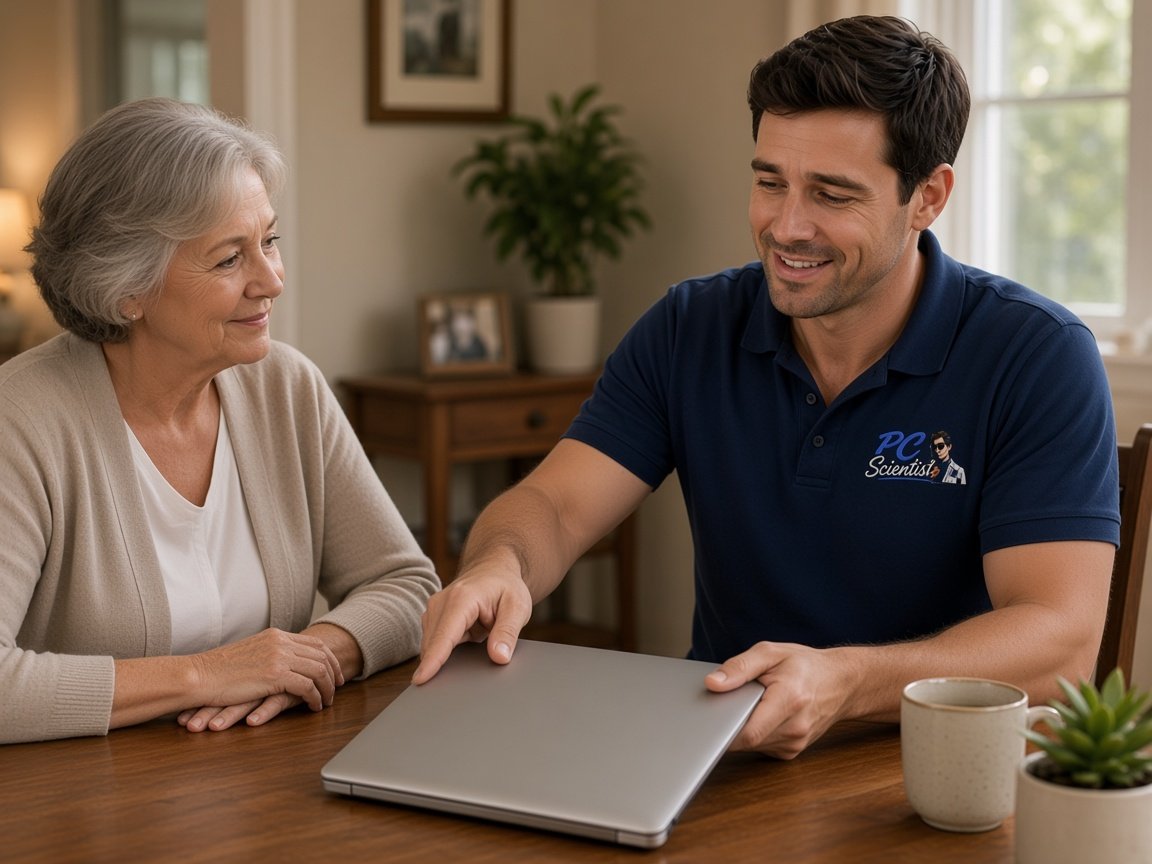
  • One-on-one help - a PC Scientist technician sitting with an older client at her laptop.

We accept payments

Visa
Mastercard
American Express
JCB
Apple Pay
Google Pay
Afterpay
Zip
Bank debit

Real Google reviews

What locals say after a PC Scientist visit.

Word for word, from people we have visited.

★★★★★

Sam & co went above & beyond with their time & expertise when installing my new computer- Very professional & friendly service - highly recommend.

Michelle Johnston

★★★★★

Sam was very helpful and informative and very patient as I'm not very techy. I'll be calling him again about getting in trouble thank you Sam.

Jenny Murray

★★★★★

Very happy with Sam. Resolved a multitude of issues that a previous technician could not. Great service and excellent advice. Highly recommend.

Margaret Brett

Read all our Google reviews

Business IT support · Hills District

Is it the meeting room, the docks or the logins slowing your Hills District office down?

Plenty of Hills teams split the week between the office and home, and the tech has to follow them. We keep desks, meeting rooms, shared mail and Wi-Fi working in both places. Nothing extra starts unless you agree.

Office headaches we sort in the Hills

  • Staff workstations that crawl before anyone has opened the morning inbox.
  • Shared printers that disappear halfway through the month-end invoice run.
  • Microsoft 365 sign-ins that loop endlessly on one particular desk.
  • Guest Wi-Fi leaking onto the network the office computers rely on.
  • Clear pricing first, and nothing starts until you have agreed to it.

How we take it from there

  • We listen to what was happening when it broke, described however makes sense to you.
  • Onsite, remote or both, depending on access, urgency and what the fault needs.
  • Same-day timing is often possible here, and we are honest when the diary says no.

Hills suburbs we visit

We work with offices around Bella Vista, Baulkham Hills and Castle Hill, home-based staff in Kellyville, Rouse Hill and The Ponds, and acreage businesses out toward Dural, Kenthurst and Glenorie. Tell us the suburb and the problem, and we will give you a straight time.

Why Business IT support calls us

What you run into: Bella Vista and Castle Hill offices appreciate about our support in the Hills District

  • What you can expect: Dead-end faults cost nothing

    • If a work laptop or desktop fault cannot be fixed, you pay no repair fee.
    • You get a straight answer when a tired fleet of laptops costs more to nurse than replace.
  • How we help: Fit-outs quoted first

    • You get a clear price before we touch the office setup.
    • For you, office moves and staff laptop refreshes quoted in writing before work starts.
  • How we help: Answers for the practice manager

    • For you, talk to someone who knows small offices with no IT person on staff.
    • You get plain answers for the manager or owner, not a ticket number.
  • What you can expect: Meeting rooms that behave

    • We find why the screen or dock keeps failing rather than unplugging and hoping.
    • For you, every change written down so the next hire is not guessing.
  • For you: Visits around client meetings

    • You get meeting room, printers, Wi-Fi and Microsoft 365 checked in one trip.
    • You get visits timed to avoid client meetings and the Monday rush.
  • How we help: Leavers properly offboarded

    • For you, shared files backed up, so a lost laptop is an inconvenience rather than a disaster.
    • For you, departing staff switched off everywhere, including their phone and home laptop.

When you are ready. Call, or book a technician.

0493 563 381

Start here

What this covers

Staff PCs and docks, printers, mail and the network your office or reception relies on. Larger or specialist work is scoped on a call or in a written quote first.

  1. 01

    Desks, docks and laptops

    Accounts machines, laptops that travel home, docks that lose monitors, and a reception PC only one person can open.

  2. 02

    Hybrid mail and Microsoft 365

    Mail that stalls when staff switch between home and office, shared inboxes, and phones out of step.

  3. 03

    Open-plan Wi-Fi and printers

    Wi-Fi that thins across the floor, printers that vanish from laptops, and shared folders that go missing.

  4. 04

    Office visit or home session

    Remote help for a staff member at home, and a visit when the office hardware needs hands on it.

  5. 05

    Clinic suites and venues

    When it is a medical suite or venue, the reception PC, guest Wi-Fi and camera app can be checked together.

The visit

How it works

  1. 1

    Spot the bottleneck

    A staff desk, the meeting room, the mail or the printer.

  2. 2

    Plan and price

    Office visit or remote session, agreed before any live change.

  3. 3

    Team back on track

    We sort the urgent fault and log anything to handle at a planned visit.

How it works

How to start

For Business IT support, the lightest next step is a phone chat. Book online if you already know you need a visit.


  1. 1

    Choose how to reach us

    Book online, call for free advice, , or .

  2. 2

    You tell us what's going on

    In the booking, on the call, or in the quote. Same idea.

  3. 3

    Lock in the visit

    We agree the visit on the call, in the booking, or in the quote. Agree, and that date stays yours.

  4. 4

    We come to you

    That's the visit. We work through your list on the day.

FAQ

Straight answers for Hills District

Meeting room screens and docks that will not connect, Microsoft 365 sign-in trouble for staff moving between home and the office, printers dropping off, and patchy Wi-Fi across open-plan floors. Calls come from Bella Vista, Castle Hill, Baulkham Hills and Rouse Hill.

Medical and allied health suites often add a reception PC that cannot go down during the day.

Yes. We plan the move, set up desks, printers and Wi-Fi, and check the meeting room works before the first client walks in.

If the building has shared cabling or a landlord-supplied network, we work with what is there and explain any limits plainly.

Yes. Sign-ins, Microsoft 365 and shared files usually clear remotely, so someone in Kellyville or The Ponds gets help without driving in.

Hardware, printer and network faults at the office normally need a visit, and we tell you which applies on the call.

Either. Some offices ring when something breaks, others prefer a regular check-in. Whichever you pick, you hear the cost before work starts.

Larger projects such as a laptop refresh get a set quote once we have seen the current setup.

When you are ready

Call, or book a time that suits

Book online Save 10% Call for free advice 0493 563 381