PC Scientist · Inner West · Email support

Inner West email support when the inbox goes quiet

Your partner forwarded the rental application an hour ago. It is on your phone, but your laptop in the spare room shows nothing since yesterday, and Outlook keeps asking for a password it already has.

We fix email for Inner West homes and small studios. Most account and sync faults are sorted remotely, with a visit when the computer profile is tangled. Call 0493 563 381 or request a call back.

Book online for eligible visits and get 10% off.

Let us help you today

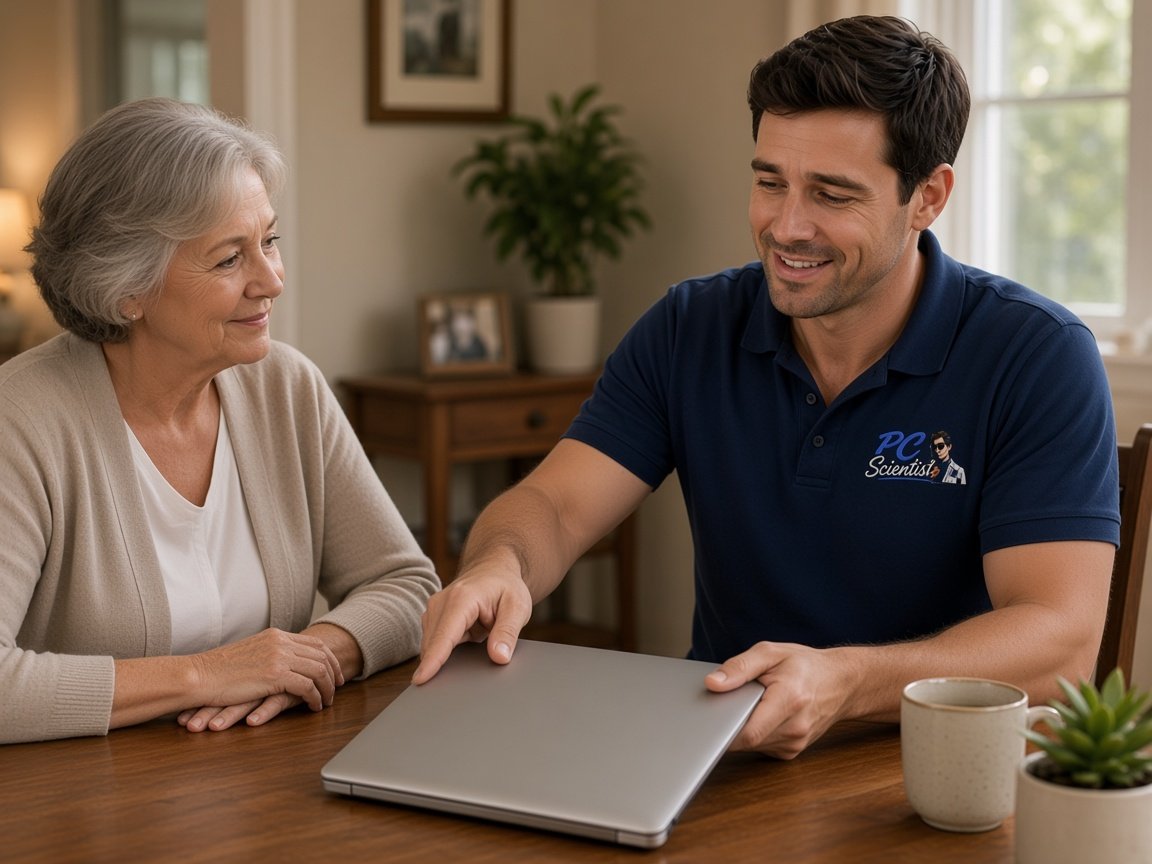
  • One-on-one help - a PC Scientist technician sitting with an older client at her laptop.

We accept payments

Visa
Mastercard
American Express
JCB
Apple Pay
Google Pay
Afterpay
Zip
Bank debit

Real Google reviews

What locals say after a PC Scientist visit.

Word for word, from people we have visited.

★★★★★

Came out quickly, prompt service by Sam, all good

PETER ROBINSON

★★★★★

Persevered through multiple problems to solve a hardware issue. Extremely knowledgeable and helpful. Highly recommended.

Amy Hunt

★★★★★

Fast and efficient computer service. Sam made everything easy to understand and fixed the issues promptly at Killarney Vale NSW 2261. Very helpful and knowledgeable. Highly recommend PC Scientist to anyone needing computer help.

Clive Tubnor

Read all our Google reviews

Email support · Inner West

Did the Inner West inbox stop on the laptop, loop on a password, or go silent overnight?

In terraces and apartments where one laptop doubles as the office, email is usually work and home at once. We check the account, the app and the provider path, then explain the practical next step in plain words.

Inner West inbox troubles we hear

  • Mail reaching the phone hours before the laptop in the spare room catches up.
  • Outlook asking for a saved password over and over through the working day.
  • Shared calendars between housemates or partners that never quite sync.
  • Attachments that bounce from the studio computer but go through from the phone.
  • You approve the work and the price before anything is changed.

After you reach out to us

  • You hear practical options and clear pricing, and nothing goes ahead until you are comfortable.

  • Same-day timing is often possible when the diary allows, and we are honest when it is not.
  • We listen to what you were doing when mail stopped, in your words, not a checklist.

Inner West streets we visit

Email work takes us into terraces, units and small studios from Glebe and Annandale to Marrickville, Dulwich Hill, Ashfield and Five Dock. A freelancer in Newtown on one laptop, a family in Leichhardt sharing an old address, or a small practice in Burwood with a shared inbox all get a device-by-device check.

Why Email support calls us

Worth a call. the Inner West calls us when mail lands on just one device

  • Unfixed means unbilled for you

    • Worried about paying for a bounce we cannot fix? Then there is no repair fee, and we talk it through with you.
    • Before any money changes hands, repair versus replace talked through plainly.
  • For you, your yes comes first

    • Before anything begins, no bill shock - you agree to the number.
    • Before we start, the price for the email work is on the table.
  • Remote or visit, honestly for you

    • Questions from households and small studios answered without jargon or hurry, and we talk it through with you.
    • Your straight answer on whether a full mailbox needs a visit or a remote session.
  • Your clear handover

    • We tell you honestly when an old mail setup is not worth spending more on.
    • Before we close the session, you know what changed and why.
  • Many niggles, one visit for you

    • Several small email problems cleared together instead of separate callouts, and we talk it through with you.
    • One visit covers your laptop, the phone and the shared calendar at once.
  • Files planned around for you

    • So that early and we plan around them, if certain files or folders matter, say.
    • Nothing deleted or reset on your account without asking you first.

When you are ready. Call, or book a technician.

0493 563 381

Start here

What this covers

Outbox not emptying, a phone with no new mail, or a password asked for every hour all belong here. Studio and staff mailboxes are on the business email page.

  1. 01

    Mail that freezes

    Messages that will not leave the outbox, a phone that stops downloading, or a password loop after a change.

  2. 02

    Laptop and phone mail

    Outlook, Gmail and the basic mailboxes from your internet provider, set up on laptops, desktops and phones.

  3. 03

    Shared and forwarded mail

    New accounts, mail forwarded between partners or housemates, or a mailbox that only opens on one laptop.

  4. 04

    Getting the code back

    Two-step sign-in and recovery walked through gently when the verification code goes somewhere you cannot reach.

  5. 05

    Dodgy messages

    A message that looks wrong or an account that got locked, with sensible next steps and no fear.

The visit

How it works

  1. 1

    Spot the mailbox

    The address, app and device, plus whether mail fails heading out, coming in or both.

  2. 2

    Settings in order

    Adjustments made carefully so the account never locks you further out.

  3. 3

    Mail moving again

    Both directions tested on every device, with notes for repeat steps.

How it works

How to start

If you are in Email support, you do not need the right words. Ring, book an eligible visit, or ask for it on paper first.

  1. 1

    Choose how to reach us

    Book online, call for free advice, , or .

  2. 2

    You tell us what's going on

    In the booking, on the call, or in the quote. Same idea.

  3. 3

    Lock in the visit

    We agree the visit on the call, in the booking, or in the quote. Agree, and that date stays yours.

  4. 4

    We come to you

    That's the visit. We work through your list on the day.

FAQ

Common questions about Inner West IT help

Yes. Homes and studios from Glebe out to Marrickville and Ashfield are part of the usual visit area.

Tell us the window that suits. We would rather fit the visit into your day than ask you to clear it, and many email jobs can start remotely anyway.

Sign-ins, settings and mail apps can usually be fixed remotely. If several laptops and phones need setting up together, a visit is often the quicker path.

If you would rather not use remote access at all, a visit is always an option. We tell you the cost either way.

Yes. Small jobs like clearing a full mailbox or moving mail to a new provider often make the biggest difference to your day.

Bring a list. One visit can usually clear several small email tasks at once, in the order that matters to you.

Yes. Small teams without an IT person are a good fit, and so are households. Large enterprises needing round-the-clock cover are not what we do.

When home and work share the same laptop, one visit can cover both sides of the inbox.

When you are ready

Tell us what is happening

Book online Save 10% Call for free advice 0493 563 381